
Why Your Business Profile Stopped Showing Up in Local Searches (And How to Fix It)
It starts with a quiet morning. Usually, by 9:00 AM, the phones are ringing, the service trucks are dispatched, and the lead notifications are popping up in your inbox. But today, there is nothing. You search for your business on Google Maps, and where you used to sit comfortably in the top three, there is now a void. You’ve been “ghosted” by the algorithm. If you are asking yourself, why is my google business profile not ranking, you are not alone. In the shifting landscape of 2025 and 2026, the rules of local visibility have undergone a radical transformation.
I’m Tim Capper, and I’ve spent years in the trenches of Local SEO, helping businesses navigate the often-opaque updates Google rolls out. We are no longer in the era where simply having a “NAP” (Name, Address, Phone) consistency and a few reviews guarantees a spot in the Map Pack. The local algorithm in 2026 is an AI-driven beast that prioritizes interaction signals, trust scores, and Generative Engine Optimization (GEO). If your visibility has vanished, it isn’t just bad luck – it’s a technical or algorithmic misalignment that needs a surgical approach to fix.
The 733% Surge: Is Your Profile Being Pushed Out by Ads?
One of the most jarring reasons your organic visibility may have plummeted isn’t necessarily a “penalty,” but a “crowding out.” According to data from PPC Land, Google increased local pack ads by a staggering 733% between November 2025 and January 2026. This aggressive monetization of the Local Pack means that the “top three” results you once fought for are now frequently preceded by two or even three sponsored listings.
This surge has led to a rise in “Zero-Click” searches. When a user sees a sponsored pin that perfectly matches their query, they often never even scroll down to the organic listings. Furthermore, Google has introduced “Sponsored Pins” that appear directly on the map interface, distracting users from organic results. If your profile is technically sound but your lead volume has dropped, you might be a victim of this real estate squeeze. To stay competitive, many businesses are having to rethink their 4 Budget-Draining Flaws in Your Current Google Maps Advertising Strategy to ensure they aren’t being buried by competitors with deep pockets.
However, ads aren’t the only culprit. This surge in monetization coincides with Google’s push toward AI-generated answers. In 2026, the “Local Pack” is often summarized by an AI Overview that highlights specific attributes of a business. If your profile lacks the detailed data points – like specific service menus, real-time availability, or high-intent attributes – the AI will simply skip over you in favor of a business that provides a more comprehensive data set for its “Generative Engine.”
The “Proximity Ghosting” Problem
A common frustration I hear from business owners is the “Proximity Paradox.” You might rank #1 when you are sitting in your office, but the moment you drive three blocks away, your business disappears from the search results entirely. This is often referred to as “Neighborhood Filtering” or proximity ghosting. Google’s algorithm has become incredibly sensitive to the user’s precise geolocation, often narrowing the “radius of relevance” to just a few hundred yards in high-density areas.
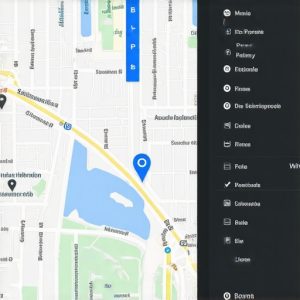
This hyper-localization is designed to give users the most “convenient” result, but it often hurts businesses that serve a wider area. If you find that your visibility is highly volatile based on location, you need to use a google maps rank tracker to visualize your “ranking grid.” This tool allows you to see exactly where your visibility drops off, allowing you to tailor your google business profile seo to those specific “dead zones.”
To combat proximity ghosting, you must move beyond the physical address. Google now looks for “geospatial relevance” through your content. Are you mentioning specific neighborhoods, landmarks, and local events on your website and in your GBP posts? If your profile is treated as a static entity, Google will default to the most immediate physical result. By creating localized landing pages and linking them to your profile, you signal to the algorithm that your expertise extends beyond your front door. For more on this, read about The Proximity Glitch That Keeps Your Business Out of the Local Map Pack.
Algorithmic “Trust” Shocks: Why 13 Million Profiles Were Axed
In the last year, Google has gone on a warpath against local spam. Search Engine Roundtable recently reported that Google blocked 292 million policy-violating reviews and removed over 13 million fake profiles in a series of massive safety sweeps. While this is great for the integrity of the platform, many legitimate businesses have been caught in the crossfire. If your profile has stopped showing up, you may have been “shadow-banned” or suspended during one of these sweeps.
Google’s “SpamBrain” AI is now trained to look for patterns of “unnatural” behavior. This includes:
- Review bursts that don’t match historical patterns.
- Using “keyword-stuffed” business names (e.g., “Best Plumbing Repair Los Angeles”).
- Service Area Businesses (SABs) that lack a verifiable physical footprint or have inconsistent documentation.
- Profiles that were verified using suspicious methods, such as VoIP numbers or virtual offices.
If you suspect your profile has been flagged, you need a professional google business profile audit tool to check for compliance issues. The rise in video verification denials has also become a major hurdle. Google is increasingly rejecting video verifications if the footage doesn’t explicitly show permanent signage, specialized equipment, or a clear “path to the door.” If you are facing a suspension, follow The Step-by-Step Way to Fix a Suspended Google Business Profile Fast to regain your standing without losing your hard-earned reviews.
Interaction Signals: The New Ranking Currency for 2026
In 2026, “static SEO” is dead. You can have the most optimized keywords in the world, but if users aren’t interacting with your profile, Google will conclude that you are no longer relevant. We call these “Interaction Signals,” and they are the primary way to rank google business profile listings in a competitive market. Google is tracking “Human Checks” – real-world actions taken by users that prove your business is active and helpful.
Key interaction signals include:
- Click-Through Rate (CTR): How many people click your listing compared to others?
- Requesting Directions: This is a high-intent signal that suggests a physical visit.
- Call Tracking: How many people click the “Call” button directly from the Map Pack?
- Dwell Time: Are users staying on your profile to read reviews, look at photos, or check your Q&A?
- Booking/Messaging: Utilizing the built-in “Book” or “Message” buttons provides Google with direct proof of a successful lead.
If your interaction signals are low, your google maps ranking will suffer. To improve this, you must treat your GBP like a social media feed. Regular updates, high-quality photos, and answering every single question in the Q&A section are no longer optional. These actions keep users engaged, which in turn signals to Google that you are the most “alive” option in the area. For a deeper dive, check out 3 Interaction Signals That Actually Push Your Business Profile Above the Fold and use google maps seo tools to monitor these engagement metrics.
Technical Errors: The “Silent Killers” of Visibility
Sometimes, the reason you aren’t ranking has nothing to do with the algorithm’s “opinion” of your business and everything to do with technical failures. As an expert, I often see profiles that are “Verified” in the dashboard but are not “Indexed” in the search results. This “Verification Trap” can happen when there is a mismatch between your GBP data and the Schema markup on your website.
Schema markup is the technical language that tells Google’s bots exactly what your business is. If your website’s `LocalBusiness` Schema lists a different phone number format or a slightly different address than your GBP, it creates a “Trust Gap.” Google hates ambiguity. If it can’t be 100% sure that the website and the profile belong to the same entity, it will suppress both. We recently Audited 50 Local Sites and Almost Every Schema Setup Was Broken, which is a testament to how often this is overlooked.
Other technical “silent killers” include:
- Phone Number Approval Bugs: A recent glitch where Google “strikes through” updated phone numbers, leaving the profile without a way for customers to call.
- Broken Category Mapping: Choosing a primary category that doesn’t align with the search intent of your target keywords.
- Duplicate Listings: Even a “hidden” duplicate profile can cause a ranking suppression as Google struggles to decide which one to show.
To ensure your technical foundation is solid, you should utilize local seo software to crawl your site for Schema errors and NAP inconsistencies. A professional google business profile optimization strategy must include a full technical audit of your digital ecosystem.
Niche-Specific Ghosting (Contractors, Lawyers, & Dentists)
Not all industries are treated equally by the algorithm. If you are a plumber, an emergency dentist, or a personal injury lawyer, you are in a “High-Trust” category. Google applies much stricter filters to these niches because the cost of a “fake” or “bad” listing is much higher for the consumer. For example, a fake plumber listing could lead to a homeowner being scammed during a flood, so Google’s “SpamBrain” is hyper-sensitive in this space.
Contractors often suffer from “Service Area” overlaps. If you have five competitors in a small suburb, Google may only show the one with the highest “interaction density.” Lawyers, on the other hand, often struggle with “Office Ghosting,” where Google filters out multiple law firms that share the same building or “virtual office” suite. This is why many Local Plumbers Lose Emergency Leads to Competitors With Fewer Reviews – it’s not about the quantity of reviews, but the “trust signals” and proximity filters specific to that industry.
To improve google maps ranking in these competitive niches, you must focus on “E-E-A-T” (Experience, Expertise, Authoritativeness, and Trustworthiness). This means getting mentions from local news outlets, participating in community events, and ensuring your reviews mention specific services (e.g., “best water heater repair”) rather than just generic praise.
Conclusion & The 2026 Local SEO Checklist
Visibility in the local search results is no longer a “set it and forget it” task. It is a moving target that requires constant monitoring of google maps marketing trends and algorithmic shifts. If your business profile has stopped showing up, it is a signal that your “Trust Score” or “Interaction Density” has fallen below the threshold required for the top spots.
To reclaim your position, follow this 2026 Local SEO Checklist:
- Audit Your Data: Ensure your website Schema matches your GBP perfectly.
- Monitor Ads: Check if new sponsored listings are pushing you down and adjust your google maps ranking service strategy accordingly.
- Boost Interactions: Post 3-5 times a week and respond to all reviews within 24 hours.
- Check for “Shadow Bans”: Use a google business profile audit tool to ensure you haven’t been caught in a spam sweep.
- Optimize for GEO: Ensure your profile and website provide the deep data points that AI search engines crave.
The “ghosting” effect is frustrating, but it is solvable. By focusing on human signals and technical precision, you can increase google business profile visibility and ensure the phone starts ringing again. Don’t wait for the algorithm to “fix itself” – take control of your local presence today. Learn How to Audit Your GMB Exposure for Real Foot Traffic in 2026 to get started.